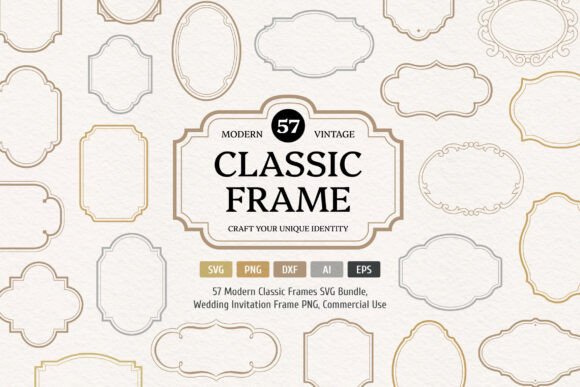
Modern Classic Frames Collection: Elevate Your Creative Projects with Timeless Elegance
Whether you're designing wedding stationery, branding materials, or digital scrapbooks, the Modern Classic Frames Collection offers a versatile toolkit for creators at every skill level. This digital bundle includes 114 SVG, DXF, and PNG files across 57 unique designs, each available in two versions. With hand-drawn authenticity and clean lines, these frames, borders, and banners blend vintage charm with modern usability. But like any creative asset, getting the most from this collection requires thoughtful application and awareness of potential pitfalls.
Common Missteps and How to Avoid Them
Even the most beautiful design elements can fall short if used incorrectly. Here are some common mistakes users make with the Modern Classic Frames Collection, and how to sidestep them for polished, professional results.
Overlooking File Format Compatibility
One of the collection’s biggest strengths is its variety of file types—SVG, DXF, PNG, AI, and EPS. However, not all formats work equally well across design platforms or hardware. For example, laser cutting machines often require DXF files, while web designers may prefer SVG for scalability. Downloading only PNGs for a project that needs vector precision can lead to pixelation or resizing issues.
Better approach: Check your software and output needs before downloading. If you're using Cricut or Silhouette machines, go for SVG or DXF. For print design, AI or EPS files may offer better flexibility. Always test a sample file before diving into your full project.
Misjudging the Style Fit for the Project
The Modern Classic Frames Collection is rooted in vintage-inspired elegance. While this works beautifully for wedding invitations or skincare branding, it might clash with more modern or minimalist designs. Using a baroque-style frame in a sleek tech startup logo, for instance, could confuse your visual message and dilute brand identity.
Better approach: Align the frame’s aesthetic with your project’s tone. If unsure, start with a neutral design from the collection and layer it with your own elements to bridge the style gap. Don’t be afraid to modify or simplify the frame to suit your needs.
Ignoring the Power of Layering and Customization
Many users treat frames as static elements, placing them directly onto their canvas without customization. But the Modern Classic Frames Collection is designed for adaptability. Failing to adjust colors, opacity, or layering can result in designs that feel generic or unbalanced.
Better approach: Experiment with layering multiple frames, adjusting stroke widths, or recoloring to match your palette. Use the AI or EPS files for deeper customization in vector editing software. This not only enhances visual interest but also helps your project stand out in a crowded market.
Underestimating the Importance of File Organization
With 114 files per format, it’s easy to feel overwhelmed. Without a clear system for naming and organizing files, users often waste time searching for the right design or accidentally reuse the same frame across multiple projects.
Better approach: Create a folder structure based on use cases—e.g., “Wedding,” “Packaging,” “Digital Scrapbooking”—and rename files with descriptive tags. This makes future access faster and helps you track which frames work best for which applications.
Misusing Frames in Print vs. Digital Contexts
Some frames from the Modern Classic Frames Collection are intricate and detailed, which looks stunning on high-resolution print but can become cluttered or hard to read on screens. Conversely, a simple border that works well online may appear too plain when printed on physical materials.
Better approach: Optimize frame complexity based on medium. For digital use, simplify or reduce line weight for clarity. For print, especially in packaging or invitations, embrace the detail to add luxury and sophistication.
What to Check Before Downloading or Using the Collection
To ensure you're making the most of the Modern Classic Frames Collection, consider the following factors before you start designing:
- License Type: Verify whether the collection allows for commercial use, especially if you're creating branded materials or selling your designs.
- Software Compatibility: Make sure your preferred design tools—like Adobe Illustrator, Canva, or Cricut Design Space—support the file formats included.
- Scalability Needs: Vector formats (SVG, AI, EPS) are ideal for resizing without quality loss, while PNGs are best for fixed-size use.
- Design Cohesion: Review the entire collection before selecting frames to ensure they work together and support your overall aesthetic.
Real-World Examples of Smart Use
Let’s look at two contrasting scenarios to see how thoughtful application of the Modern Classic Frames Collection can make a difference:
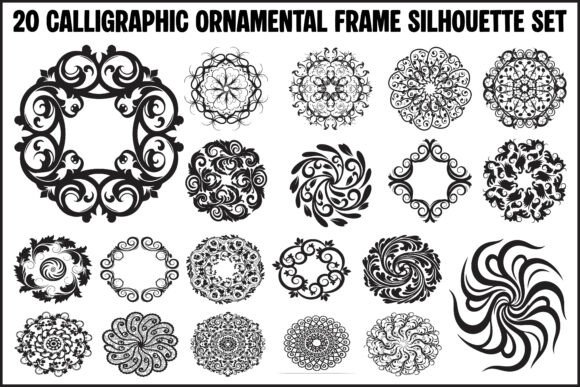
- Wedding Invitation Suite: A designer uses a detailed filigree frame from the collection in SVG format, adjusting the stroke color to match the wedding palette. They layer it with a semi-transparent background for depth and print it on textured cardstock for a luxurious feel.
- Skincare Product Label: An entrepreneur chooses a clean, minimalist frame with a subtle vintage motif. They simplify the design further in AI format, ensuring it scales well across different bottle sizes and maintains a premium look without overwhelming the label text.
Final Thoughts
The Modern Classic Frames Collection is more than a set of design assets—it's a flexible tool that empowers creators to add elegance and authenticity to their work. By understanding the nuances of file types, design compatibility, and customization potential, you can avoid common missteps and unlock the full value of this bundle. Whether you're crafting a wedding invitation or designing a product label, a thoughtful approach ensures your creative vision shines through with clarity and style.